Idea to consider:
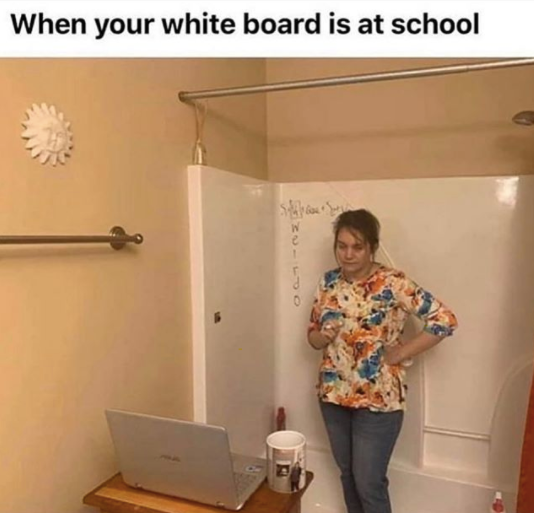
We are immensely grateful for the hard work and creativity our staff continues to exhibit during distance learning. Although teaching to a screen can feel isolating without the face to face feedback from students, we know our students are better due to all our staff’s efforts during CDL.
To Dos:
ADVISOR FAMILY OUTREACH: Click here for the updated attendance records sorted by advisory teacher. We are asking advisory teachers to check this list every two weeks and make contacts home via phone call to students who are highlighted NPV for the two most recent weeks– be sure to click on the October tab at the bottom to view CDL weeks three and four. Please update the notes as needed and send concerns to grade level counselors, admin and IEP/ELL case managers (if applicable). As issues arise, please include fan advocate Jamie Neill when necessary. Additionally, please partner with Liz Vargas for connecting with Spanish speaking families.
Below are two links to templates to use for our every other week communication with our families. Please copy the document, make adjustments to the blanks to make these templates ‘yours’ and send out to your Advisory families. Be sure to adjust the sharing settings to ‘anyone with the link’ can view.
https://docs.google.com/document/d/1t0_DzFuD5rvddgjByl19uNX4Jv2YisCOTWkdQ6T0Yuk/edit?usp=sharing
https://docs.google.com/document/d/1TmFERDSXhEevBBtbqfdANOQpz0KdfjxEpfFVYhlHbC4/edit?usp=sharing
Bits and Bobs:
CANVAS COACH’S CORNER:
- By default Canvas does not show grade letters next to final grades in the same way as Synergy. It is possible to turn this on. o to settings in course details tick the box next to ‘Enable Grading Scheme’. The only issue is that Canvas’s grading scheme is not the same as the districts grading scheme as per Synergy so it requires a little editing. Please see this video for instructions on how to set up a grading scheme. See this image to view what the grading scheme should look like to match Synergy.
- When showing students how to navigate to a part of your course in Canvas we recommend sharing your iPad screen showing student view on WebEx. You can do this via two methods. You can hardwire it by connecting the iPad to your MacBook using your dongle or a Lightning to USB-C cable then clicking ‘iPhone or iPad screen’ where sharing your screen in WebEx. Alternatively you can mirror your iPad screen by air playing it to your MacBook then sharing your screen in WebEx.
- We will be showing students how to do this in advisory but we recommend suggesting to your students to minimize any modules they have finished with in the Student Canvas app. They do this my clicking the small black triangle next to module titles. This should help with their navigation and focus their module screen on just the module they are currently working on.
**We have added a link to the Canvas Coach’s “Canvas Best Practices” document on the right hand side of the blog.
OCTOBER ELL NEWSLETTER: Click here to check out the latest ELL newsletter which is chalk full of helpful info, including links to prepared lessons specifically designed for CDL.
Reminders:
HDMS FAQ: In addition to our twice weekly admin office hours, staff can continue to get answers to questions using the HDMS FAQ document. The admin team continues to check and update this document on a regular basis.
A note from Jim– As you are aware, MS teachers and classified employees who work directly with students were asked to provide input on three possible Hybrid scenarios. The three options presented are “big picture” and not “detailed” on purpose. Before details are determined we would like to know your comfort level, priorities, and preferences to some of the bigger questions around safety and instructional framework. That was the purpose of the survey.
A request was made today to hold a Q & A session with interested staff prior to the survey window closes. In an effort towards transparency, I’ll be hosting such an opportunity next Monday (10/19) at 3:30 in my Webex room (https://bls.webex.com/meet/jim.boen
Additionally, the survey closing window will be extended until next Wednesday (10/21) at 4:00pm.
A potential downside to this change in feedback collection process is for those who have submitted a response to the survey already, then attend Monday’s Q & A and wish they could change their response after hearing more about these options. Multiple responses to this survey will not provide accurate data. If you have already submitted a response, then change your mind based on new information, please provide your principal with both your previous and new response and this will be calculated in to the results.
Thank you!
Jim
CULTURE OF CARE: The HDMS team created this Culture of Care Corner document. It will be updated on a regular basis; we’ve added a hot link to the sidebar of the blog for easy reference in the future.