11.2.20

To Dos:

WEDNESDAY ATTENDANCE: Please familiarize yourself with the adjustments below.

  • Here the link to the spreadsheet you will use to take attendance for your Advisory on Wednesdays. There is a tab for all of you at the bottom (you may need to scroll horizontally). There is a practice entry for each advisor currently so you can see what a student’s entry will look like on your tab. This is the form students will submit; the data from this form is what will populate the spreadsheet.
  • The overview of this process will be explained school wide in Advisory today and Tuesday. As you know, I have already communicated this with families. Here is the video that will be used in Advisory and will be sent out to families this Friday. It can be used as a refresher if necessary. 

HYBRID SURVEY 2.0:

BLS Middle School Options Comparison and Survey:https://docs.google.com/document/d/1hU34-zCZ7V2yaDhe2X382DNg32BPMQne8YrEQnnfFxE/edit?usp=sharing 

As always, the admin team will be available to answer questions and discuss the details of this hybrid survey, and any other topics, during our twice weekly admin office hours on Tuesdays and Thursdays from 8:00-8:30am in Wendy’s WebEx Room.


STUDENT SUPPORT TEAM: We have begun a to implement a new process of EBISS/Kid Time for HDMS during CDL and beyond. Our Student Support Team (SST) will meet weekly to view attendance, social emotional, behavioral, academic, and at home/connectivity data to determine which students need the most support and collaborate on our next steps in supporting them. The SST team will be using this spreadsheet to track and guide our work. While teachers will be able to view this spreadsheet to stay informed, it is not expected as the responding SST point person on implementing a student’s specific next steps will communicate this information with the student’s teachers.

Here is the HDMS intervention checklist that we’ve created to guide the potential next steps for advisory/content teachers (for tier 1 and tier 2 students) as well as for SST staff (for tier 3 and tier 4 students).

Students will be referred to the SST by staff entering concern observations/incidents using our new SST Referral Form (which is currently in beta). This referral form can be used for any concerning student observation/incident including providing an FYI to the SST team, one-time incidents, and/or on-going student concerns. Our hope is that staff will use the referral form regularly for any type of student concern as it also serves as a data collection tool to identify students that need more intensive interventions. When entering a referral form, please include only facts about the observation/incident as information entered into the form will likely be shared with families as part of our response. Nole is more than happy to meet with any staff/teams to gather feedback on the new referral form, to help support its implementation, and/or answer any questions. We’ve done our best to make it user friendly and easy to fill out while still being able to gather all the information from the referring staff person. Additionally, staff have the option of emailing referral observations/incidents to the admin team (Petersen, Kennedy, McCulloch), the grade level counselor, and the case manager (if applicable); a SST member will then enter a referral form on their behalf.


SOP UPDATES: Please read and familiarize yourself with the updates to the district’s Standards of Practice that were made from gaining staff input across our district. Nole and I will add discussion of these adjustments to the agenda for the next time we meet with department teams.

Highlights of this updates are:

  • Clarification provided for Advisory vs. Classroom teacher role and communication frequency (HDMS has created this flowchart to make clear the roles and next steps when supporting students/families that are facing concerns.)
    • Advisory if SEL need or for multiple classroom difficulties (contact every 3 weeks)
    • Classroom teacher if content need for specific course (contact every 4 weeks)
    • Any student with concerns should have a two week contact by either teacher or school-level team
  • Wednesday: consider all learners when planning for 20-minute guidelines- may need to alter expectations for students who struggle more than others
  • Use ODE language to highlight sentiment that allows for multiple opportunities for handing in and leaving assignments open. 
  • Staff to frequently refer to this document so it is living and teachers know it well
  • Video post is not mandatory but encouraged

Bits and Bobs:

SUPPORTING SECONDARY INSTRUCTION: Michele Clements and Dean Richards have put together this blog that aims at supporting secondary instruction. This week’s post includes a narrated PowerPoint video presenting a variety of strategies for using the chat bar to increase student engagement.


OPTIONAL ELD MEETING: As Jane shared in a school-wide email, she and Clarissa will be available for an optional ELD meeting Wednesday at 12:30pm in Jane’s Webex room.  They will go over a couple of ELD items, work through questions about recently shared info on differentiation, and discuss any specific questions about a student.   


MAC SURVEY: Our fall MAC Survey day is Monday, November 9, 2020. Please connect with Jamie Neill with any questions.


As new state metrics are being discussed, so is the growing possibility of returning to school in at least a hybrid format. As families are considering this very real possibility, they are also experiencing a range of emotions (some are very excited, while others are very anxious or concerned – and no doubt some a roller coaster of all of these). Due to this, the district has received a number of parent communications requesting that teachers or other staff do not talk with students about when a return to school is going to occur. Following is a sample message that the district asked us to share with you regarding this:

We know many staff members are excited to see students back in class. But as state metrics and conditions are changing and evolving, please make sure to only communicate return to school plans with parent/guardians – and avoid sharing these details with students. We don’t want to create unnecessary disappointment for our students.


Many of our Bend employees have internet service with BendBroadband. Some folks have experienced an overage of data usage due to CDL this fall (both teaching themselves and any children they have learning through this model). Here is some good news on how teachers can avoid being charged for this overage usage during this crazy time:

Any teacher that’s been impacted by data overage charges with BendBroadband should send an email to [email protected], from their school email address with their name and account number, requesting credit for their “data usage allowance overage charge,” and they’ll be credited.


There is a new Webex functionality that allows the presenter (teacher) to control the “mute” feature in ways that were not possible, well, prior to this update. Here is more on that.


From Nutrition Services regarding holiday meals being served: We will be offering meals over the holiday breaks. They will include breakfast, lunch and supper grab ‘n’ go from 12pm-1pm on the following days:

  • Monday 11/23 – we will serve meals for 11/23, 11/24, 11/25, 11/26 
  • Monday 12/21 – we will serve meals for 12/21, 12/22, 12/23, 12/24
  • Monday 12/28 – we will serve meals for 12/28, 12/29, 12/30, 12/31

We will be serving only at the sites below (No mobile routes).  Meals are available to all kids 18 years of age or younger.

  • Bend High
  • Elk Meadow
  • La Pine High
  • Lava Ridge
  • Pilot Butte 
  • Three Rivers
  • Westside Village

If you have any questions or need clarification, contact Nutrition Services.


Reminders:

CULTURE OF CARE CORNER: Be sure to check out the Culture of Care Corner hot link on the sidebar of the blog for ongoing staff social opportunities. I (Nole) would like to personally invite staff tomorrow, and every 1st & 3rd Tuesdays, at 7:15am in my WebEx room to share positives with each other over coffee.


END OF QUARTER: The end of the first quarter is this Friday, 11/6. Gina is sending an email to staff with quarter rotators so they can be informing their students and families which class they’ll rotate to for second quarter. Please remind students and their families of our all HDMS staff WebEx document (linked on the sidebar of the blog).
10.29.20

Quote to consider:

‘Purpose in life is often revealed in the minutes, months, and years that challenge us most.’

~ Some Good News (Tony)


To Dos:

DIFFERENTIATION: It will take some time to set up Differentiation in Canvas. Please make sure your set aside time (during SIW, the hour before teaching or the afternoons after teaching) to do this work. Here is a link with an explanation of what differentiation is, and some ideas of what differentiation may look like in CDL.


ENGAGEMENT: Nole and I have been so impressed with what we are seeing when we pop into classes, chat with students and hear from families about what teachers are doing to engage students. If you feel you have a strategy for engagement that is working well, we want to know about it! Dean Richards is interested in working with teachers to make meaningful PD for colleagues across our district as a way to share the wisdom. Staff will be compensated for their time. If you are interested please email me (Wendy) and I will connect you with the team.


CANVAS EXPECTATIONS:

At this time all staff should have adjusted their Canvas Dashboard to support a consistent look in all of our courses. It is the expectation that all HDMS staff have a consistent format, making it more simple for students, families and support staff to navigate each teachers site and support students. If you are struggling with this, please connect with your Canvas Coach to make these adjustments.

Another expectation that supports consistency as a school is to ensure that you have arranged all the modules in your courses so that they’re arranged from newest to oldest. As the year progresses there’ll be an increasing large amount of items for kids to scroll through to find what they need. It’ll become confusing for student and parents if we don’t do it as a building. See Canvas Coach’s corner in Bits and Bobs for more details.


ADVISOR FAMILY OUTREACH: Click here for the updated attendance records sorted by advisory teacher. We are asking advisory teachers to check this list every two weeks and make contacts home via phone to students who are highlighted NPV for the two most recent weeks or are highlighted for having attendance rate below 80% overall for the month of October. Be sure to click on the October tab at the bottom to view CDL weeks three and four. Please update the notes as needed.

Below are two links to templates to use for our every other week communication with our families. Please copy the documentmake adjustments to the blanks to make these templates ‘yours’ and send out to your Advisory families. Be sure to adjust the sharing settings to ‘anyone with the link’ can view.

English: https://docs.google.com/document/d/1eOlDCD5wYcljuDiqH9ZiP3qE4Dl-9v0ZDGyG7fKzlkY/edit?usp=sharing

Spanish: https://docs.google.com/document/d/1QPx5A3KQP3jCbi8uscmh0uM88QfnG-OtxTcbQLRcie4/edit?usp=sharing


Bits and Bobs:

WEDNESDAY ATTENDANCE: I wanted to let you know that we will be starting a new system for attendance on Wednesdays. Here are the details:

  • Wednesday will now consist of Advisory all day in Synergy.  This means for attendance purposes we only need to take attendance once for the entire day.
  • There are concerns regarding accountability for students on this day and ensuring we aren’t messaging that Wednesday is a day off.  Therefore, students will still need to have some responsibility to show they were attending school.
  • Students will continue to engage in content from all seven periods on Wednesdays.  However, it does NOT need to be new content and can be differentiated based on need.  It can even be a continuation of work from Mon/Tue.  Please ensure they are not working for longer than 20 minutes total (this includes watching videos) per class.
  • Students will be responsible for filling out a google form that states what they worked on for each period.  It could be anything that you set up.  This will be a universal form for the entire school.
  • The link to the form will be pushed out by me to every HDMS student in Canvas as a pop-up announcement AND Email on Wednesday.
  • A student will select their advisory teacher and then state what they did each period in their schedule.
  • You will have access to the data this form generates and it will be separated by advisory teacher.  You will be responsible for your 25ish advisory students’ attendance.  If they completed the form, they are present, if not, absent.  You DO NOT need to take attendance for every period on Wednesday, just for your advisory students. For teachers, this means that Wednesday attendance goes from approximately 180 to 25 students. ​
  • The overview of this process will be explained school wide in Advisory Monday and Tuesday. I will communicate with families. There will be a video that will be used in Advisory and sent out to families. It can also be used as a refresher if necessary. 

YOUTUBE UPDATE: You’ve likely tried to use YouTube videos as part of your teaching experience, only to have the video not work because it is blocked. Well, Chad Brewer in IT worked some magic, and there is now a workaround allowing teachers to (mindfully) approve videos. Here is a district blog post that describes how a student can view (by signing in to YouTube using their district email) that approved YouTube video.


Here is an updated message regarding “sick leave” for staff. It has been jointly crafted by BEA (Sarah) and HR (Jon) and hopefully provides some clarity around expectations/process regarding sick leave during remote teaching.


CANVAS COACH’S CORNER:

  • Arrange Your Modules Newest to Oldest – Drag and drop your modules to rearrange them from newest at the top to oldest at the bottom. This will save student from having to scroll through an increasing number of modules to find what they need. See this video to help.
  • Message Groups of Students by Select Criteria – You are able to message groups of students about specific assignments or about their overall grade/missing/late assignment status. For example you could email all you’re a and B grade students congratulating them for doing a good job. You set the criteria and Canvas selects students that fit that criteria so you can email them all with one click! See this video for instructions.
  • Display Total Grades at Front of Gradebook – Tired of having to scroll to the end (the right) of your gradebook to see a student’s total and/or letter grade? Click the three dots at the top of the total column and click ‘move to front’. This will rearrange your assignments if you haven’t previous set a sort order. To put it back click ‘view’>’arrange by’ then choose how you want your grades arranged.

Reminder: Canvas Coach’s Office Hours hosted by Ingrid and Martin from 1:30 to 2:30pm on Wednesday in Ingrid’s WebEx room.


Reminders:

In place of whole group staff meetings and in an effort to honor staff’s time, Nole and I are continuing to meet with department teams every other week. Our agenda for these meetings is as follows:

  • Celebrations
  • Follow up on the ‘To Dos’ from the most recent two blog posts
  • Clarification of any other items on the blog
  • Needs/concerns/supports

We continue to hold twice weekly admin office hours on Tuesdays and Thursdays from 8:00-8:30am in Wendy’s WebEx Room. This is a great time to connect, get questions answered and to share celebrations; ongoing notes from admin office hours can be found here.


HDMS Highlights:

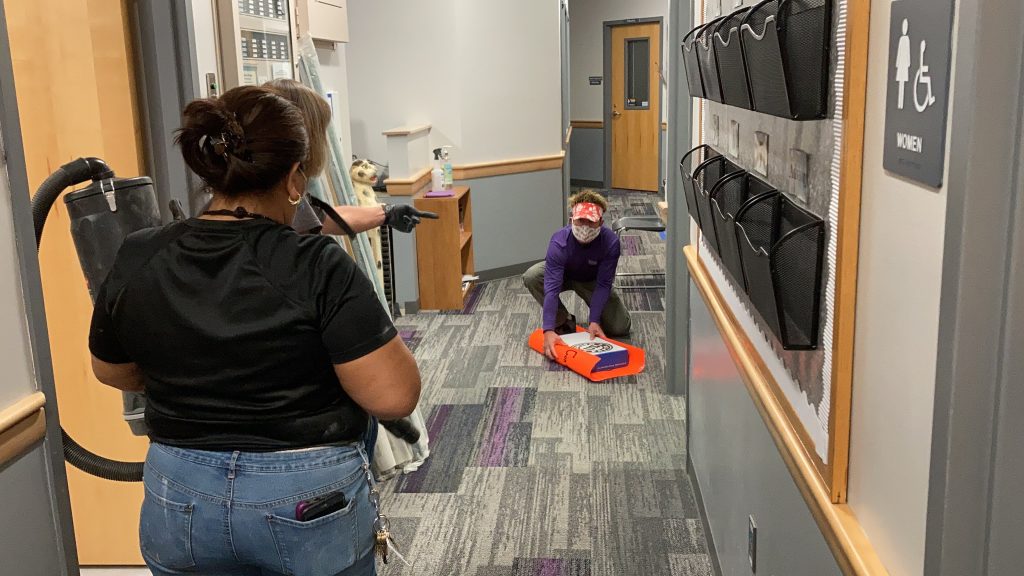
LIPI for our Life Skills students continues to be a success; seeing students’ smiling eyes above their mask each day warms the soul!! Many thanks to the LS staff, Nurse Megan, Tim and crew, and the Safety Team for their efforts in making this happen for our students.

10.22.20

Quote to consider:

If you can’t fly, then run, if you can’t run then walk, if you can’t walk then crawl, but whatever you do, you have to keep moving forward. ~Martin Luther King, Jr.


To Dos:

STRUGGLING STUDENTS: It is still the expectation that content teachers are connecting with struggling students’ families regularly. As you know, partnering with parents/guardians to troubleshoot issues (eg: academics, attendance, participation, etc) is tightly correlated with student success. Continue to let families know of your student support session offerings during office hours, Wednesdays, and/or before school. If the concern persists after problem solving with the student AND their family as well as implementing the next steps, please loop in the grade level counselor, admin team, and case manager (if applicable).

For Spanish speaking families, set up a translator to support you making this connection.  (Liz/Heather P are available to support, if needed.)

Additionally, advisors will still be making family connections for students who are appearing red in our attendance data form. Please continue to update this form with notes from your family connections.


Bits and Bobs:

HYBRID Q & A: If you were unable to attend Jim Boen’s hybrid Q & A WebEx on Monday afternoon, you can view the recording of the meeting here.


OBSERVATIONS/SLGGs: For now, we are going to put SLGGs and Evaluations on hold until we get the district committee’s recommendation on how to best to move forward during these times.  We use a collaborative/coaching model for observations.  We are here to help improve instruction and to facilitate a positive learning environment so that students can grow, succeed, and achieve.  Don’t forget that TLC has developed some classes and materials for folks who are interested in different strategies and support.  


Reminders:

WEDNESDAY SUPPORT REMINDER: Gen. Ed. student support session times are in twenty minute blocks with the goal of avoiding students being double booked. Please continue to be mindful of this and communicate with other teachers if/when a student is requesting to be a part of your support session outside of their period’s allotted time. If you find that you need more then 20 mins with a particular student to move them forward, consider setting up a separate time to connect with them when other teachers won’t be impacted.


MS CERTIFIED EMPLOYEE HOURS: A question about work hours has recently come up at the district level; we were asked to make sure all MS certified employee groups (teacher and admin) were reminded that, during CDL, their workday hours are 8:00am – 4:00pm.


EMAIL REQUEST: In an effort to reduce inbox overload, please remember to only “reply all” when the information is pertinent to everyone in the email thread. That said, when you have a student concern, please continue to email the grade level counselor and cc the entire admin team (Heather P, Nole, and Wendy) and case manager (if applicable).


HDMS Highlights:

Click here to check out High Desert Hype Episode One. Kudos to Heather P and her leadership class for creating this new tradition!

10.15.20

Idea to consider:

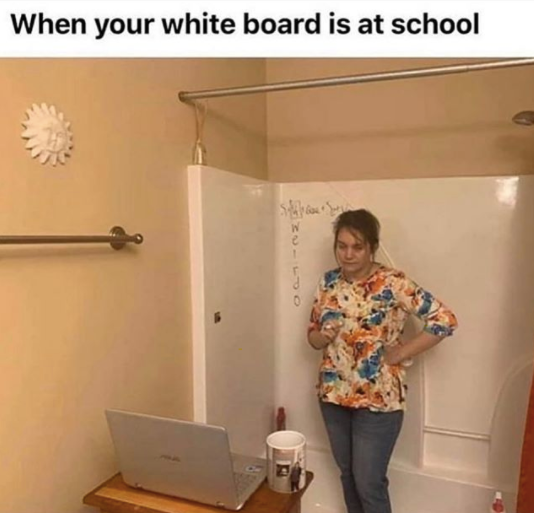
Introducing a Roundup of the Best School Appropriate Memes out There

We are immensely grateful for the hard work and creativity our staff continues to exhibit during distance learning. Although teaching to a screen can feel isolating without the face to face feedback from students, we know our students are better due to all our staff’s efforts during CDL.


To Dos:

ADVISOR FAMILY OUTREACH: Click here for the updated attendance records sorted by advisory teacher. We are asking advisory teachers to check this list every two weeks and make contacts home via phone call to students who are highlighted NPV for the two most recent weeks– be sure to click on the October tab at the bottom to view CDL weeks three and four. Please update the notes as needed and send concerns to grade level counselors, admin and IEP/ELL case managers (if applicable). As issues arise, please include fan advocate Jamie Neill when necessary. Additionally, please partner with Liz Vargas for connecting with Spanish speaking families.

Below are two links to templates to use for our every other week communication with our families. Please copy the document, make adjustments to the blanks to make these templates ‘yours’ and send out to your Advisory families. Be sure to adjust the sharing settings to ‘anyone with the link’ can view.

https://docs.google.com/document/d/1t0_DzFuD5rvddgjByl19uNX4Jv2YisCOTWkdQ6T0Yuk/edit?usp=sharing

https://docs.google.com/document/d/1TmFERDSXhEevBBtbqfdANOQpz0KdfjxEpfFVYhlHbC4/edit?usp=sharing


Bits and Bobs:

CANVAS COACH’S CORNER:

  • By default Canvas does not show grade letters next to final grades in the same way as Synergy. It is possible to turn this on. o to settings in course details tick the box next to ‘Enable Grading Scheme’. The only issue is that Canvas’s grading scheme is not the same as the districts grading scheme as per Synergy so it requires a little editing. Please see this video for instructions on how to set up a grading scheme. See this image to view what the grading scheme should look like to match Synergy.
  • When showing students how to navigate to a part of your course in Canvas we recommend sharing your iPad screen showing student view on WebEx. You can do this via two methods. You can hardwire it by connecting the iPad to your MacBook using your dongle or a Lightning to USB-C cable then clicking ‘iPhone or iPad screen’ where sharing your screen in WebEx. Alternatively you can mirror your iPad screen by air playing it to your MacBook then sharing your screen in WebEx.
  • We will be showing students how to do this in advisory but we recommend suggesting to your students to minimize any modules they have finished with in the Student Canvas app. They do this my clicking the small black triangle next to module titles. This should help with their navigation and focus their module screen on just the module they are currently working on.

**We have added a link to the Canvas Coach’s “Canvas Best Practices” document on the right hand side of the blog.


OCTOBER ELL NEWSLETTER: Click here to check out the latest ELL newsletter which is chalk full of helpful info, including links to prepared lessons specifically designed for CDL.


Reminders:

HDMS FAQ: In addition to our twice weekly admin office hours, staff can continue to get answers to questions using the HDMS FAQ document. The admin team continues to check and update this document on a regular basis.

A note from Jim– As you are aware, MS teachers and classified employees who work directly with students were asked to provide input on three possible Hybrid scenarios. The three options presented are “big picture” and not “detailed” on purpose. Before details are determined we would like to know your comfort level, priorities, and preferences to some of the bigger questions around safety and instructional framework. That was the purpose of the survey.

A request was made today to hold a Q & A session with interested staff prior to the survey window closes. In an effort towards transparency, I’ll be hosting such an opportunity next Monday (10/19) at 3:30 in my Webex room (https://bls.webex.com/meet/jim.boen

Additionally, the survey closing window will be extended until next Wednesday (10/21) at 4:00pm.

A potential downside to this change in feedback collection process is for those who have submitted a response to the survey already, then attend Monday’s Q & A and wish they could change their response after hearing more about these options. Multiple responses to this survey will not provide accurate data. If you have already submitted a response, then change your mind based on new information, please provide your principal with both your previous and new response and this will be calculated in to the results.

Thank you!

Jim


CULTURE OF CARE: The HDMS team created this Culture of Care Corner document. It will be updated on a regular basis; we’ve added a hot link to the sidebar of the blog for easy reference in the future.

10.9.20

Quote to consider:

‘It is hard for a student to unlearn empathy’. ~Matthew Kay


To Dos:

SYNERGY + CANVAS SYNC: Teachers, please sync your grades in Canvas weekly so that by Wednesday morning at 9:00 am all classes have grades updated and synced. 

We will share this info with parents next Friday: Parents, this means that looking at ParentVue after 9:00 am on Wednesdays will show your student’s most up to date grades. Please encourage your student to continue to check their grades throughout the week in Canvas.


UNIVERSAL CANVAS PRACTICES: To ensure that all students and families are seeing the same thing across all classes, it is our school wide expectation that the Canvas settings below are universal for all teachers; please contact Wendy and Nole to share more if you’d like your settings to be different for a particular reason. Reach out to your Canvas coach rep with questions on the Canvas settings outlined or if you are having trouble following this set up expectation.

  • Navigation Tabs: Streamline the number of places a student can look by only including menu tabs for Home, Modules, Announcements and Grades (plus Syllabus if you use it).
  • Modules: Post your assignments into a module. Dates in the pages/assignment titles are helpful for kids!
  • Due Date: Make sure you assign a due date for every assignment. This way, the assignment will appear in the student’s calendar on the day it is due. Students can also then click on that assignment to access it and complete it. It is up to you if you wish to include beginning and available until dates.
  • Other Assignments and Assignment Groups: To make finding relevant assignments easier for students in their gradebook, calendar, and modules, remove any assignments or assignment groups that you’re not using, including empty templates. Assignments are only permanently deleted if they are deleted in the Assignment tab.  Deleting assignments from modules only removes the assignment from the module tab, not from the course.
  • Homepage Button: Students have found it helpful when teachers have a button on their homepage of a course, that is updated weekly, that takes them directly to that day’s assignment. See your canvas coach if you wish to create this on your home page.

WEDNESDAY ASSIGNMENT GUIDE: Please read and follow the directions in this document created by our Canvas coaches. This will help with Wednesday assignment/attendance.


Bits and Bobs:

HYBRID METRICS: Here is a page on our district website that would be a nice one to bookmark. Recently added to this page is a very simple and clear metric chart that highlights the individual metrics per week, as well as the potential first day we could return in a Hybrid format.


WEBEX UPDATE: There will be a big change coming with how Webex is set up that will improve security for teachers using Webex with their students.  This change has not occurred yet, but it is expected within the next week. These changes should help with managing unintended or inappropriate student visitors to your Webex meetings. The students will log into Webex in a similar fashion to how teachers log into Webex. The teachers will have “host” accounts.  These accounts allow them to schedule and create sessions. The students will have “attendee” accounts. These accounts will only allow them to attend sessions. Users from outside the district will not be able to attend Webex sessions that are created by teachers. Look for new instructions for how students will join Webex meetings in the next few days.  By the way, the next update of Webex will also have the most requested item by teachers: a mute button that students can’t unmute! [And a special shout out to Vince Valenti for doing the behind-the-scenes heavy lifting to make sure these changes work!].


TECH TIP:


CULTURE OF CARE: The Culture of Care Corner is a live Google Doc that will be updated every week with new resources for staff to use that includes opportunity for staff connections & self-care, social-emotional learning, and trauma-informed best practices. Thanks to our amazing Culture of Care team for all the work being done to take care of our staff, students, and families.


SAFETY UPDATE: The following items are from Paul – who’s been quite busy keeping up with and interpreting ODE guidance for use within our district:

  1. New Mask Requirement:  (The following language has been adopted by our district and will be shared in an all BLS Staff email on Tuesday.) A cloth, paper, or disposable face mask that covers the nose and the mouth is the requirement for all BLS students and staff with some exceptions. When exceptions apply, a face shield is permissible, but other safety practices should be implemented, such as more than 6 feet of social distancing and/or added ventilation of fresh air. The exceptions are described below:
    1. For provisions applicable to staff/students protected by ADA or IDEA (details from RSSL referenced below).
    2. For safety reasons, such as a bus driver whose glasses are fogging up when attempting to wear a mask under specific weather conditions;
    3. For specific and time-limited instructional needs such as speech and language, LIPS reading group, ELL lessons or other examples when viewing a teacher’s or student’s mouth is essential to that portion of the lesson. As soon as possible within the lesson, masks should replace the shields;
    4. For younger children moving into in-person education who exhibit severe emotional dysregulation when wearing a mask, staff should employ strategies to transition them from shields into mask wearing: mindfulness exercises, increase in the frequency of outdoor mask breaks, and other trauma-informed best practices.
    5. People who are deaf or hard of hearing, or those who care for or interact with a person who is hearing impaired.
    6. Other time-limited exceptions of short durations may be made with administrative knowledge.
      ***A clear mask is an acceptable option, as is the use of a shield over a mask for added protection.
  2. Visitors – Only BLS staff and essential visitors are allowed to enter buildings beyond the lobby.  Examples of essential visitors are DHS, child protective services, law enforcement, student teachers and their supervisors, CASA advocates, Friends of Children mentors, cadet teachers, and ESD service providers.  When in doubt whether a visitor is ‘essential’, consult with your Level Leader.
  3. Band, Music/Choir, PE Standards of Practice – Juan Cuadros will be coordinating with elementary music, PE teachers and interventionists to develop learning instructional practices that include safety measures aligned with the ODE blueprint.  He will then do the same with MS/HS band, choir, PE teachers and interventionists.  

Questions/Concerns about COVID-19 related matters.  Please consult this flowchart for answers.


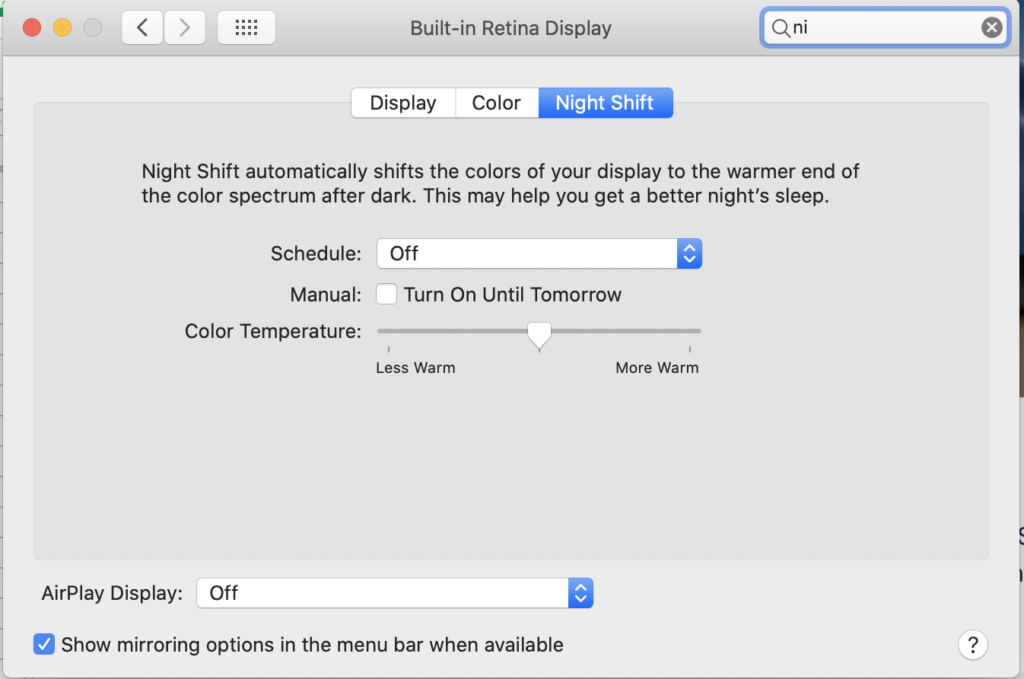
BLUE LIGHT FILTER: There is a blue light filter option on all Macs from 2017 and newer; this is built in with no additional equipment needed. Users can access this option in system preferences to warm the colors and limit the “blue light” and even choose how warm the color is and assign a schedule. This option take place of the need for external ‘filters’ (eg: blue light glasses). Touch base with Susan Kirkpatrick for more information.


Reminders:

Fall conferences, originally scheduled for the end of October, have been canceled. Therefore the last week of October will revert to regular distance learning school days. Due to the change in fall conferences, our district’s calendar has been updated. Here is a copy of the calendar, with this change indicated. It will also be posted on the website soon, if not already.


We continue to hold twice weekly admin office hours on Tuesdays and Thursdays from 8:00-8:30am in Wendy’s WebEx Room. Feel free to drop in to share celebrations, questions, and/or concerns; ongoing notes from admin office hours can be found here.


WebEx Expectations: We continue to share with our families the benefits to learning when students have their screens on. Please see Gina’s email with the notes regarding this that will be sent home today.


HDMS Highlights:

Our first HDMS Staff Lip Sync Video can be found here!!!!
Thanks to Heather P for organizing and editing this together.


10.1.2020

Quote to Consider:

Thanks to Joe for sending this along:
During his presidency, Barack Obama was asked how he paced himself and managed the stress of the job. His reply (edited slightly): “Our job is to stay focused on what we can get done every single day to advance the vision and the values that brought us here.”

To Dos:

STAFF SAFETY CHECKLIST:
– We’ve added this Regular Visual Symptoms Screening Instructions document to our staff safety checklist document.
– To-do reminder: we need all staff to be aware of all the items on the safety checklist document; please review and become familiar with its contents.

COMMUNICATION TO FAMILIES:
– Please continue to send out POSITIVE communications (without family action items) as often as possible; we know that building positive, trusting relationships with our families is tightly correlated with student growth and success.
– Advisory teachers: to support our bi-weekly communication home to families from advisors, the family outreach will continue to put out this template every other week. Please make a copy, then personalize, and send out to your advisory families. Thank you so much. In addition, if you get a message back that a parent email is not working, please make a comment in the CDL contact form so we can try and update the information. 
– When a student is struggling/unengaged, content teachers should continue to connect with their families early and often. Loop in the student’s grade level counselor and advisor when there are ongoing concerns. 

STUDENT ATTENDANCE TRACKING:
Here is our revised student attendance tracking document.
– Teachers are taking attendance and tracking for their own records, but this tool is designed as a snapshot for Advisory teachers, counselors, specialists, and Admin to check on the attendance of their students overall as needed. Heather P will continue to update this document every Monday and input/highlight red all students who have missed three or more days of CDL during the week. – We are asking advisory teachers to check this list every two weeks and make contacts home via phone call to students who are highlighted NPV for the two most recent weeks, update notes as needed, and send concerns to grade level counselors, admin and IEP/ELL case managers (if applicable). As issues arise, please include fan advocate Jamie Neill when necessary.

MAC TRAINING INFO from FAN advocate Jamie Neill:
All staff need to be MAC trained; click here to access the online training.
– Use this link (password: MAC2020fan) to access video from the spring that will help your training go smoothly.
– When you have completed the online MAC training you will receive an email to confirm that you completed the training. Please keep that email in case there is an issue, and your training is not recorded properly. 
– If have further questions, please let Jamie know and she can do a Webex to walk you through it. 
– MAC brings about $500,000 into the district and helps keep FAN in our buildings. Thank you for supporting FAN and the families we work with! 

Bits and Bobs:

CANVAS COACH’S CORNER:
– Some students are stressed about seeing lots of assignments on Canvas and not sure which should be completed and when. We suggest making it clear on all assignments, activates and pages if kids should just be working on them in class or outside of class and over what time frame should they be completed.
– To further streamline the student experience we’d recommend simplifying the navigation bar for your course so students can just see home, modules, grades and announcements. Some people are using the syllabus page too so that’s fine.
– We have found the most efficient way of using speed grader is using the teacher iPad app and would recommend checking it out.
– Just to keep you updated regarding the Synergy/Canvas synchronization: IT are going to turn it on for Canvas coaches in the next couple of days. If everything works well for them they’ll be pushing it out to everyone at some point next week.
– Reminder: Canvas Coach’s Office Hours hosted by Ingrid and Martin from 1:30 to 2:30pm on Wednesday in Ingrid’s WebEx room.

COVID-19 ADMIN GUIDELINES: From the district’s health services supervisor Tami Pike: “When a staff member cannot report to work due to illness, or becomes ill while at work, the employee needs to notify their direct supervisor.” Here are the admin guidelines we will follow if a staff members reports COVID symptoms.

SAFETY TEAM INFO:
– The safety team has approved the Life Skills team’s Limited In-Person Instruction (LIPI) safety plan for having LS students in the building starting on Oct. 5th. This is our second phase of LIPI.
– Our third phase, starting in the coming weeks, will be to identify and invite non-Life Skills students that need LIPI to the building. The safety team, in conjunction with the admin team and student case managers (SRC, ELL, counselors, etc), will be using this district instruction/guidelines document to guide our next steps in this process. See the safety team notes for more info.
– FYI: This document is our HDMS specific school safety checklist; unlike the staff checklist above, you do not need to know all the info on this dense document. We are sharing it as an FYI.

DISTRICT RESOURCEs: 
Canvas demos are available on the district’s website (available in English and Spanish).
Learning Supports webpage has a ton of additional tech tips, videos, and troubleshooting items relevant for families (available in English and Spanish).

Reminders:

WEDNESDAY ATTENDANCE:
During CDL, teachers must post 20 minute assignments/activities in Canvas every Wednesday. As you know, students submitting completed work for this assignment will be the way teachers take attendance each Wednesday (for students who do not attend a support session). If a student contacts a teacher on Wednesday with issues accessing the assignment on Canvas, please consider counting this as “present” for the that day. Advisory classes do not “meet” on Wednesdays, therefore there will not be an activity/assignment for attendance on Wednesdays from advisory.
*We have shared this information with our families through multiple channels (SynerVoice, counselors, office staff fielding phone calls, etc), and we recognize that many families still have questions and are confused. Thanks for continuing to respond to these questions with positivity; consider copy and pasting the above information in your response.

GENERAL ATTENDANCE: In CDL schedule, teachers will be able to override the PV code with a NPV code.  At 11:00am, the auto dialer will place calls to parents for the previous day’s NPV absences school wide.  Therefore, a particular day’s attendance must be updated and completed by 8:00am the following morning.  A student is considered present if any of the following occur:
– Participating in a video class
– Communication from the student to the teacher via chat, text message or email
– A phone call with the student
– Posting completed coursework to a learning management system or web-based platform or via email
– Turning in completed coursework on a given day

PROFESSIONALISM DURING CDL: As you know, teachers are likely to be under more scrutiny during CDL as they are teaching “in students’ living rooms.” The district shared, albeit vaguely (specific schools were not mentioned) that there have been a handful of families voicing some concern with a few teachers’ professionalism (specifically attire- eg: teachers in PJs). It is important to continue to hold ourselves to professional standards as if we were in the building.

SENDING MASS FAMILY EMAILS: Due to privacy concerns, please remember to use the BCC (Blind Carbon Copy) function in Outlook if you are sending an email to multiple families at once. Putting your email address in the “to” field and all the different family’s email addresses in the “BCC” field hides email address from all recipients while still allowing you to send one email to multiple families. Reach out to Nole if you need help with this function in Outlook.

STAFF SOCIALS: Review, sign up, and/or host a staff social (while distanced) activity here.

HDMS Highlights:

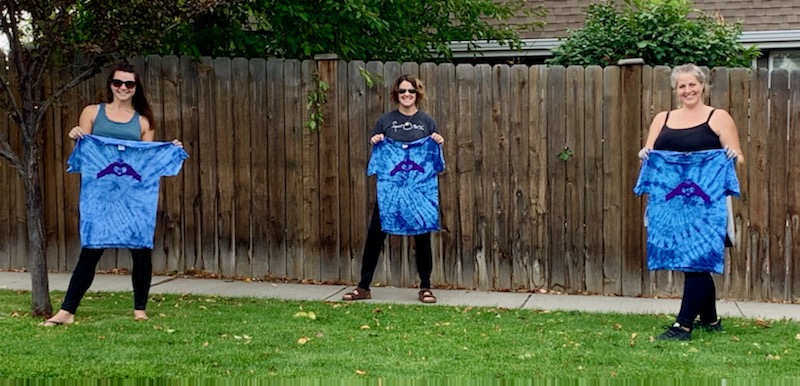
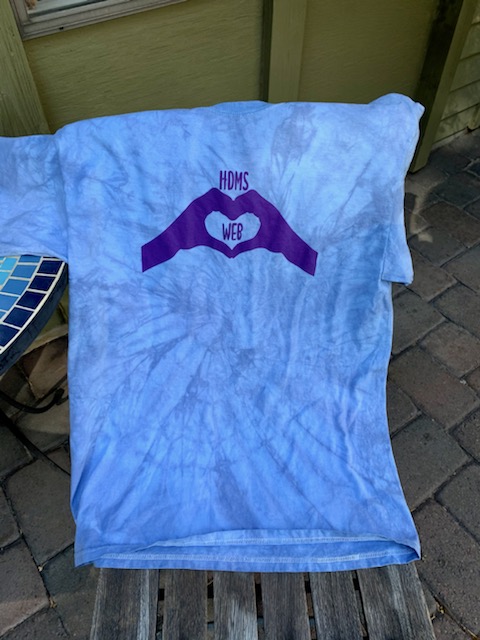
WEB Coordinators showing off hand made tie dye Leader shirts!
Where Everyone Belongs!

9.24.20

Idea to Consider:

To Dos:

WEDNESDAY ATTENDANCE: Yesterday was our first Wednesday where we took attendance and it was challenging for many students, families, and staff; thank you SO MUCH for your continued flexibility. Please make sure that you are taking attendance carefully for Wednesdays based on students who submitted your assigned 20 minute activity in Canvas, attended a support session, or connected with you via email/phone. We’ll once again be sharing in-depth information regarding attendance with our families on our upcoming school-wide communication (which we always send out to staff as an FYI).

Bits and Bobs:

SAFETY TEAM: Please continue to check the Safety Team folder linked on the blog for the most up-to-date safety team notes. We need all staff to be aware of all the items on this staff checklist document; please review and become familiar with its contents. Touch base with Wendy, Nole, Lauren, or any safety team member with questions.
FYI: The safety team has approved the evaluation team’s Limited In-Person Instruction (LIPI) plan for evaluation testing for students with SPED, ELL, speech, 504, etc. accommodations. Currently, we do not have any students in need of such evaluations, but when we do there is a safety plan in place. Also be aware that the Life Skills team is working on a safety plan for LIPI for the small cohort of Life Skill students. Once approved, we could have Life Skills students in the building for LIPI as early as the week of Oct. 5th.

RECORDING/POSTING: As you know we are asking that all lesson launches are recorded and posted to Canvas (for any absent students or students that want a reteach). Staff do not have to use the video in these recordings, audio only is fine.

CANVAS COACHES CORNER:
-Please review this slide presentation which shows students how to submit a google assignment into Canvas.  This is our Advisory lesson Monday.  You might consider making a practice assignment to try with your advisory kids on Monday.  
Synergy and Canvas: Please DO NOT add grades into Synergy.  The district is hoping to have Synergy and Canvas syncing soon and by adding assignments into Synergy it will make the syncing very difficult.  A message from the school will be sent home to parents if the syncing is not done by the end of next week.  
Office Hours: Wednesday, Sept. 30th Canvas coaches will hold office hours from 1:30-2:30 in Lisa’s WebEx room.  Stop by to have questions answered.  
Drop in Q & A: TOMORROW (Fri, 9/24) at 8:00am.  Feel free to stop by Ingrid’s WebEx room tomorrow morning to get your pressing Canvas questions answered.  

DIGITAL TEAMS: One of the most helpful digital tools our (science) team discovered last spring is Microsoft Teams. When we were suddenly working from our own islands at home, our team quickly connected again through the app and started sharing documents, ideas, experiences, and fun gifs (of course!). This mode of communication actually brought us closer together despite being physically separated and it’s still our daily routine to say good morning each day to remind each other we are all in this together. This year we added 3 things – we all post 3 good things about our day before we sign off. It is so nice to end our days in a positive way and share our experiences with each other.

STUDENT HEALTH SURVEY: This year our middle school 6th and 8th graders (as well as 11th gr.) will be participating in this statewide survey. You may recall, this is the merge of two former state surveys (Oregon Health Teens and Student Wellness Survey). The window for this 30 minute, online, anonymous survey is Oct. 5 – 16. A passive parent permission letter (all students are opted in, unless a parent returns an opt-out form to the school) was sent out this week. We will do this survey during advisory. Date TBD as well as the link to access the survey.

SUBSTITUTES: Here is clarification for staff absences from HR.

Substitute Guidance for CDL:

  • If a teacher is sick for one or two days there are a couple of options.  One, the teacher can do his/her best to get information and work out to students. If a teacher attempts to teach, then the teacher doesn’t need to take a sick day.  If the teacher is sick and can’t do any work, then that teacher needs to take a sick day.
  • If a teacher is sick for more than two-three days, then the teacher and administrator need to try and get information out to students the best way possible.  This will probably mean having someone that works close to that teacher help get information out to students.  If this happens, please have the teacher that helps complete a timesheet for the work.
  • Long-term substitutes.  We will continue to use long-term substitutes for teachers that are out long-term, on FMLA, etc.

Substitute Guidance for Balanced-Hybrid

  • We have been working with the HDESD to get substitutes training on our systems.  The substitutes that take our trainings will be identified in the HDESD system (AESOP) as being trained and will have preference over substitutes that are not trained. Once we go to hybrid, obviously we’ll need substitutes in the building.

Reminders:

HDMS STAFF FAQ: Continue to refer to this document whenever you have general questions as there is a decent chance a colleague had the same question(s) already answered. If your question isn’t answered, add it to the top of the table to get an answer.

HDMS Highlights:

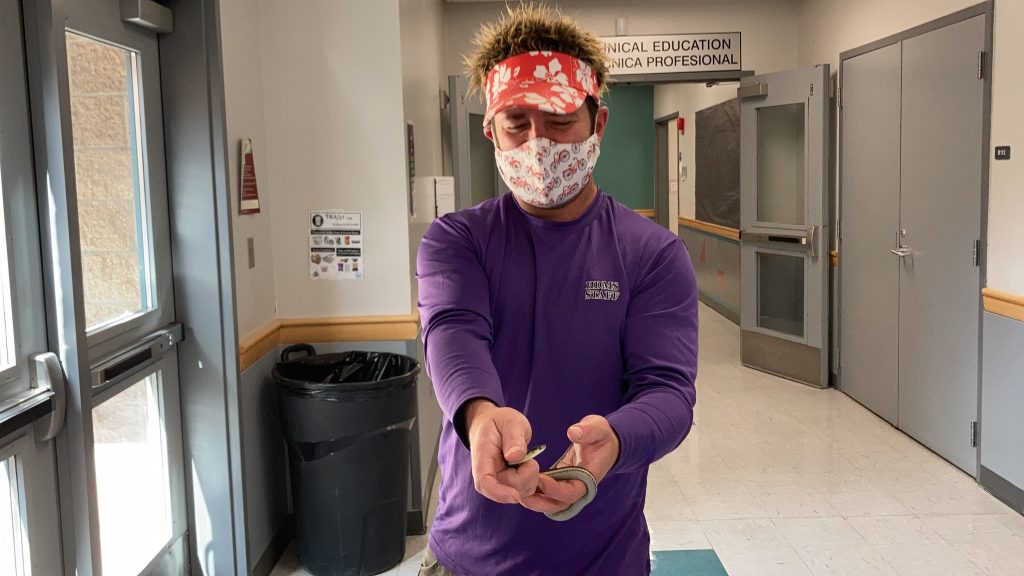
When being the “Home of the Diamondbacks” goes TOO far:

Idea #1
Iverson supporting our school in a UNIQUE way!
Iverson helped capture and set the snake free and was able to make it back to his class prior to their 15 minute work time ending!!!

9.17.2020

Video to Consider:

Thanks to Koop for sharing this great inspirational video: Be a Mr. Jensen. While we’re all juggling a plethora of vital tasks, we hope you’ll take a couple mins to enjoy this video. And then ask yourself: “how can I continue to be a “Mr. Jensen” for one of our students today?”

To Dos:

SCHOOL WORK TEAMS: Please mark your calendar to meet at 12:30pm on Wednesday, Sept. 23rd with the school work team you signed up to be apart of. The ICCL team facilitator while reach out to you with more details.

PLC MEETINGS: The admin team would like to support content teams by attending content team PLCs twice a month. If you haven’t done so already, please email Wendy and Nole what reoccurring meeting times work for your team.

Bits and Bobs:

CANVAS COACHES CORNER: The Canvas Coaches are making instructional videos based on common questions from HDMS staff.  You can find the document here.  We will continue to add to it as questions arise.  If you don’t find your answer there, the district has a page with commonly asked questions for students, parents, and teachers.  This resource is very handy and addresses the most asked questions.  Here is a video with our weekly tip:  How to set up discussion with cross listed classes

WEBEX TRICKS AND TIPS: Thanks to Heather P for creating this WebEx tricks and tips document. This document will be updated on an ongoing basis as more features are released. Additionally, the ICCL team and Koop will host a WebEx training/practice session (breakout rooms!) during 9/23’s ICCL office hours.

EQUITY AWARENESS WITH WEBEX: Please see this document for more information from the district regarding equity awareness with WebEx. In short, the district is asking staff to “be aware that we have students in our district living in cars, rv’s, tents, hotels or staying with family. Please do not REQUIRE video during group WebEx classes.”

ATTENDANCE HACKS: Thanks to Stephanie M for creating this attendance “hacks” document.

MEETING TEMPLATE: Consider using this AVID-style note taking template (which you’ll need to make a copy of) for taking notes when you meet in school work teams.

HDMS STORE: Click here to check out the HDMS store which is full of awesome Diamondback swag!

BROKEN LINKS: Often district staff provided us with links to information. As you know, we pass on relevant links/documents to our staff via the blog. Sometimes the original creator of these documents updates the information without providing us an updated link; if you come across a broken link on the blog, please email Wendy and Nole. We will work as quickly as possible to find the updated link to replace the old one with and will include [link updated, date, time] when replacing a broken link.

UPDATED DOCUMENTS TAB: The documents section of the blog has been updated for the 20/21 school year. This is where we will add the most recent team meeting notes (eg: Safety Team, ICCL, etc.) on an on-going basis.

STAFF SOCIAL OPPORTUNITIES: Check out our new staff social opportunities document. Mark your calendars for any of the opportunities that you’d like to join! Also, please feel free to sign up to (virtually) host any of the ideas already listed or add your own!

Reminders:

DISTRICT WIDE COVID TRAINING: Most staff have already completed the district-wide Covid training. If you haven’t completed it yet, please do so ASAP (click here for the directions) as the deadline was last Friday.

HDMS CALENDAR: Remember to make it a habit to check the HDMS calendar of events linked at the top of the blog and make note of applicable items on your calendar. Please email Wendy, Nole, Heather, and cc Kerri you notice school-wide items we should consider adding to the HDMS calendar.

INTERPRETERS/TRANSLATIONS: Please continue to plan ahead for getting documents translated and/or lining up interrupters for contacting families from linguistically diverse backgrounds. Links for more info are in the “hot links”; please refer back to 9/11’s blog post for more details on this topic.

SCHEDULE CHANGES: As you know, students requesting schedule changes should be directed to their grade level counselor. Please see this document for more information.

HDMS Highlights:

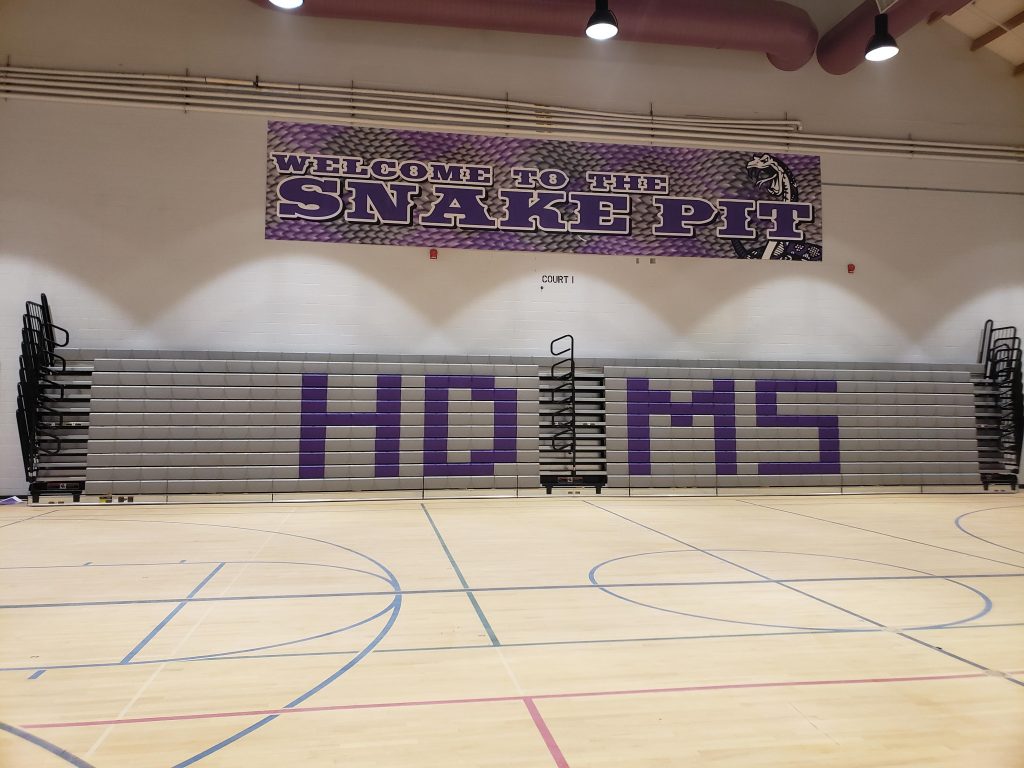
New bleachers in our main gym!

9.11.2020

Attendance

It has been widely shared that all MS teachers need to record their lesson launch and post it in Canvas on the same day – for those students who miss attending the class period. What hasn’t been shared as widely is a recommended (and likely most efficient) way of doing this… until now. Please watch this video [link updated 9/11 at 4:59pm]. By following these steps, you will be able to post your recorded lessons within a short period of time after completing the recording (as opposed to the next day if the recording is saved to Webex). Reach out to Christie McCormick if you have any questions! 

Canvas

Have you heard yet that all students have a Canvas “icon” (it’s actually a “web clip”) pre-loaded on their iPad… and there is a Canvas “app” in self-serve? Confused? (I was at first too.) Here is a short video that I suggest you watch – Please share with students in Advisory at some point early next week. If you have questions, please reach out to Christie McCormick.

Update- Connecting w/ Spanish Speaking Families

To ensure that all students receive an equitable education, it is imperative for us to serve and meet the needs of our students and families from linguistically diverse backgrounds. Click here to see key feedback from last fall’s Excellence and Equity listening sessions around this topic.

Please note some additional information (written in purple) that we added to Nole’s email on this topic yesterday. All of this info has been previously shared in various settings, but with so much info being shared, we’d like to highlight it again.

  • Call anyways** (AND do at least one of the other bullets below)
    • Here is a great quote from Maria on this topic: “even if the only thing that is communicated is High Desert, their students’ name and the teacher’s name, letting these families know we are expecting their student and trying to reach out shines through the language barrier.”
    • ** Additionally, it is Civil Rights law, BLS policy, and best practice that schools “communicate information to limited English proficient parents in a language they can understand about any program, service, or activity that is called to the attention of parents who are proficient in English.Click here for more information.
  • Utilize and rely on our district’s translation/interpretation services:
    • Linguistic Link
    • BLP Language Access Plan (which includes updated procedures for document translation)
    • These links, and directions for using Linguistic Link, are included in the blog’s “hot links” so staff can easily refer back to them
  • Partner with Liz Vargas as HDMS’s Latino Community Liaison
    • Liz is a great resource for supporting teachers with connecting with Spanish speaking families now and throughout the school year
  • If Liz is not immediately available for a pressing concern, check if one of our bilingual support staff people are able to help:
    • Heather Petersen – dean of students
    • Veronica Trejo – counseling secretary 
    • Cynthia Gruending – bilingual EA
    • Amber Goemaat – counseling intern 
  • Continue to partner with HDMS’s ELL teachers Clarissa Weibe and Jane Aleksey when working with our ELL students and their families

9.10.2020

Quote to consider

Things turn out best for people who make the best of the way things turn out.

To Dos

The admin team would like to support content teams by attending content team PLCs twice a month. Please email Wendy and Nole what reoccurring meeting times work for your team.

Bits and Bobs

GRADING:
Q: “Since grading last spring was P/NG will the district be giving guidance on grading during CDL?”
A: There will not be district or state guidance given for grading. Last spring we were required to not assign student grades to work received (or not received). This fall schools in Oregon are allowed and expected to grade assignments/tests. I would suggest one of two things: 1) Grade work as you have in the past. After communicating expectations around grading, hold students accountable to these expectations when issuing grades. 2) As a team or department, come to some agreements around grading that all on that team/department will adhere to.
Q: “Last spring we didn’t ‘collect’ paper packets will those be F’s now if not turned in to the school?  Any guidance on what expectations we can get on what students should be completing and turning in would help me know how to best grade”
A: Teachers need to base grades on student work. If the only way to receive student work is via paper packets and these packets are not turned in, then assessment cannot happen. If there is another way to assess student work (verbal or written input from students for example) then those options are open as they would be for students when in a traditional classroom setting. I would encourage families to use Canvas if they are able to (no medical reason to not use iPad, and they have internet access at home) as this will be the absolute best way for assignments to be given and received – as well as feedback on the work turned in.
For both of these two scenarios it is important to remember that there is more than one way to collect learning from students. This is a time for teachers to both be flexible and creative in how assignments are given and received. There is additional time built into the MS teacher schedule that allows for teacher exploration and communication with students. I’m excited to see what new, creative techniques might come out of this required distance learning teaching environment we are currently in. Also, one of our first priorities when allowed to go to a “limited in person” model (as soon as Sept. 28) is to bring in (to school) those students who need required testing (SPED and ELL come to mind), and students who do not have any connectivity at home – like don’t have internet or cell service (even with a hot spot).

COMMUNICATION TO FAMILIES:
Main/general communications will be given from advisors to families (eg: school-wide info, tech updates, family engagement, etc).  Additionally, we will continue to do whole school communications weekly from Wendy to families using SynerVoice and staff will also be sent these communications so staff is in the loop.  Families will be able to follow along with their students’ academic progress through Canvas and Synergy.  Teachers will continue to be available for families to email if they have specific content/grading/curriculum questions and connect with students/families through office hours (more details for teachers on our teacher CDL schedule).  When a student is struggling/unengaged, please continue to connect with their families early and often as well as looping in their grade level counselor and advisor.  Please send out POSITIVE communications (without family action items) as often as possible.

ATTENDANCE:
In CDL schedule, teachers will be able to override the PV code with a NPV code.  At 11:00am the auto dialer will place calls to parents for the previous day’s NPV absences school wide.  Therefore, a particular day’s attendance must be completed by 10:00am the following morning.  A student is considered present if any of the following occur:
– Participating in a video class
– Communication from the student to the teacher via chat, text message or email
– A phone call with the student
– Posting completed coursework to a learning management system or web-based platform or via email
– Turning in completed coursework on a given day

WEDNESDAY:
During CDL, teachers will post 20 minute assignments/activities (similar to exit tickets) every Wednesday. The district has decided that teachers will need to post these 20 min assignments/activities on Wednesday mornings (not earlier). Teachers can use Canvas to schedule these assignment postings ahead of time if they choose. The main reason for this decision is due to attendance; students submitting completed work for this assignment will be the way teachers take attendance each Wednesday (for students who do not attend a support session). These weekly Wednesday assignments will begin on our first Wednesday (9/16). Advisory classes do not “meet” on Wednesdays, therefore there will not be an activity/assignment for attendance on Wednesdays from advisory.

HDMS ICCL WORK TEAMS:
Most folks have already signed up for a team, Thank you! It is still my expectation that we have all certified staff sign up to be a part a team. If you have not signed up please do so here.

It is important for me to have shared leadership, voice and direction as we move our work forward at HDMS.  These work team serve as one way to invite conversation and ensure that all staff have a place to show up, share their thoughts and ultimately shape the work and direction for our school.  These team are not new, but extensions and a continuation from last year. It is still my hope to have all staff be a part of this work during CDL.
I recognize that CDL and Canvas as well as the landscape of our world right now can feel overwhelming.  I also want to continue to work hard to support and honor teachers time.  The MS schedule our district has created offers several opportunities for teachers to accomplish what is being asked of them during CDL and I believe there is still room for serving on our school teams. 
For the next 5 weeks, my plan is to have our ICCL work teams meet weekly during the building directed SIW time (12:20-1:25), thereby not infringing on any other teacher prep times. These meeting will begin on 9.23.2020.
If anyone is concerned about this ask, I invite folks to chat with me and share what their specific concerns are so I can better understand.

STAFF COURSE OFFERING
In Performance Matters look for this course title: Meeting the Needs of All Students: Differentiation is the Key
Description: This course will support you in providing differentiated instruction both in a virtual and face-to-face classroom settings. As a result of this class, you will come away with a better understanding of what differentiated instruction is and you will have created a differentiated instruction lesson you will be able to implement directly into your classroom this year. This course is run completely through Canvas, with a group share on the last day of the course (Friday, December 4th).

  • Class will be presented online through Canvas and WebEx
  • Class will require approximately 3.5 hours of work per week, for 3 weeks (all digital).

CANVAS COACHING
HDMS Canvas Coaches and the subject areas they will support:

  • Ingrid Hoban – Math department and SPED department
  • Elissa Freeman – LA department and counselors
  • Lisa Meredith – Science department and Electives Department
  • Martin Wardle – SS department, PE department and ELL department

Please take advantage of this Instructional Canvas Resource webpage.

Reminders

DISTRICT WORK TEAMS:
Sign up for an optional district work team.

GUIDELINES FOR MATERIAL DISTRIBUTION:
Each of the past few weeks we’ve shared the “Guidelines for distribution of materials between school and home” document. It continues to be refined and updated; here is the latest update. This one includes what to do in the scenario of distributing material to a student’s home (directly).  We will continue to provide links to the most up-to-date version of these procedures as they are shared with us.

BUILDING PROTOCOLS:
– Always enter through Main Entrance
– Sign in (including your locations so these areas can be sanitized)
– Masks must be worn at all times (unless you are alone in your room and can close your door)
– If you meet (in person) with members of your cohort for more then 15 mins, remember to record this on the Staff Contact Tracing Log

HDMS Highlights

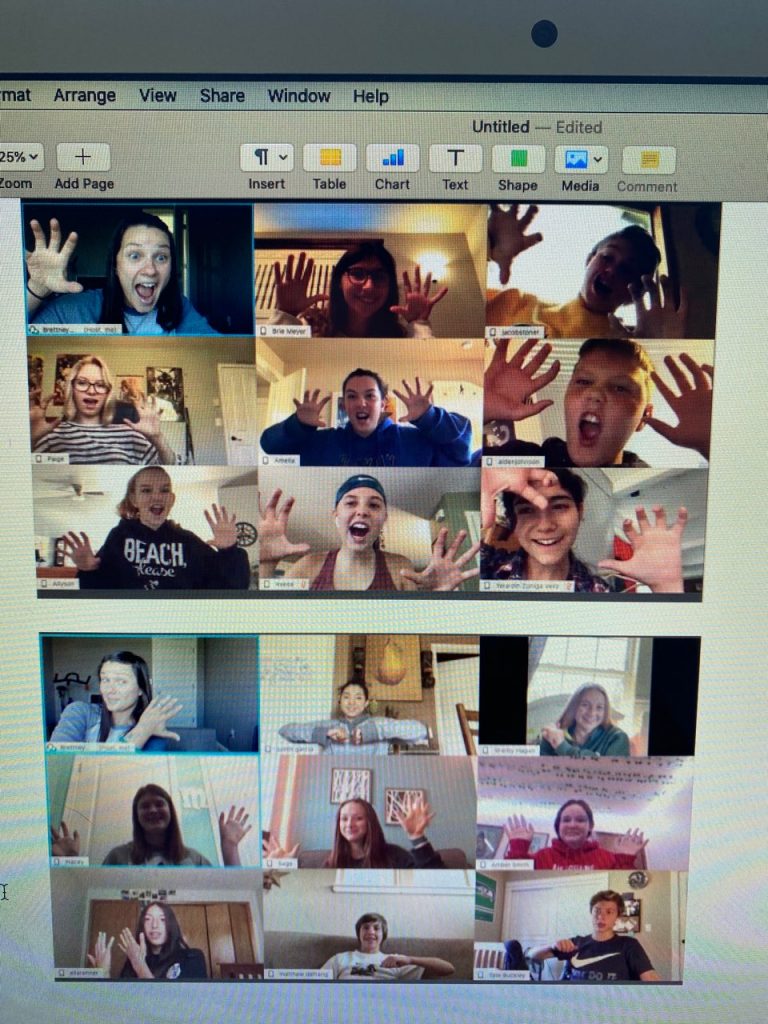
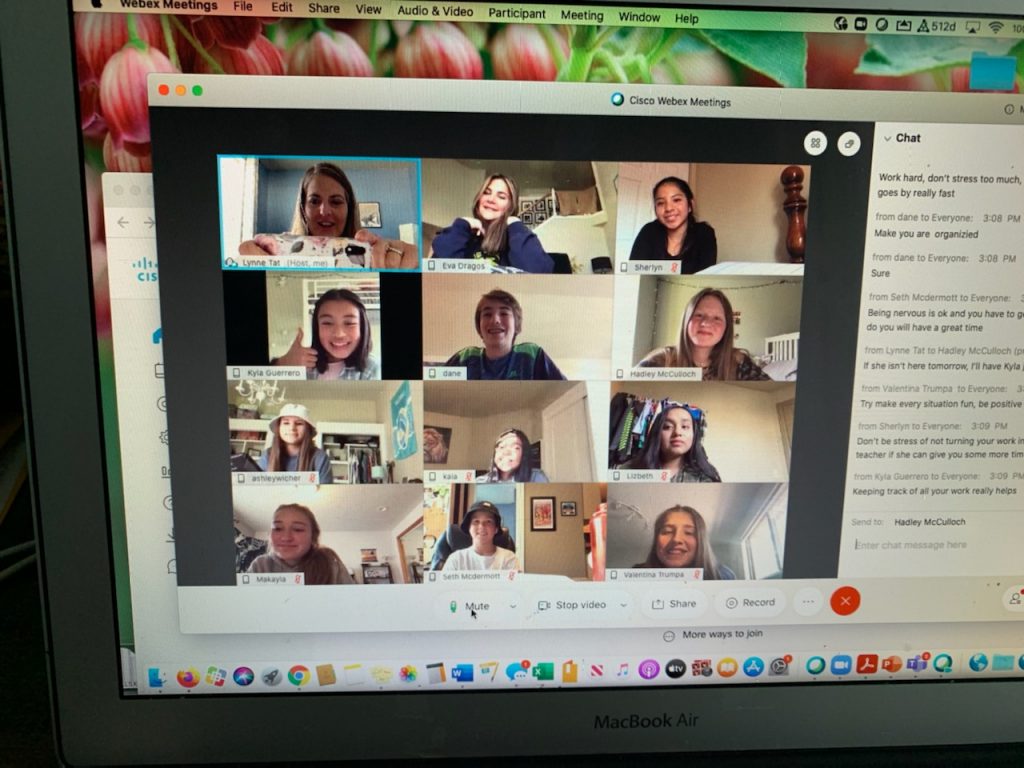
8th grade WEB Leaders in action for the first ever virtual training! Go WEB!