Skip to content

BLS Educational Technology

Ideas, Activities and Resources for Bend-La Pine Schools

Menu

Primary menu

Author Archives: John Craft

Notability Clean Up

Posted on April 12, 2016 by John Craft

Have your students deleted old Notability files only to have them appear again? Know of any students with over 300 Notability files, and most of them are now irrelevant? If you answered yes to either or both of those questions, Continue reading Notability Clean Up→

Posted in Uncategorized

Breaking Things Up With BreakoutEDU

Posted on March 11, 2016 by John Craft

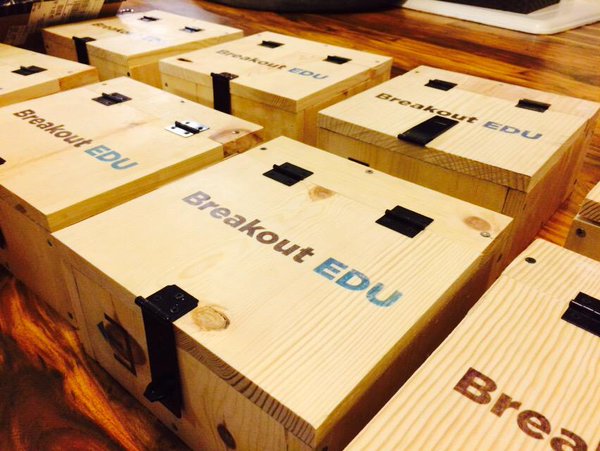
Have you seen Indiana Jones or National Treasure and found yourself caught up in trying to solve the mystery before Harrison Ford or Nicholas Cage do? Both are clever movie series that engage the audience with mysteries and clues that Continue reading Breaking Things Up With BreakoutEDU→

Posted in Elementary School, High School, Middle School

Create Comics Using Book Creator

Posted on January 25, 2016 by John Craft

Book Creator has an update that allows users to create comics! Like everything else in Book Creator, it is simple to work with-for both teacher and student. Options available are: Panels, background colors/patterns, speech bubbles, thought bubbles, comic text (captions, titles) Continue reading Create Comics Using Book Creator→

Posted in Elementary School, High School, Middle School, Uncategorized

Shadow Puppets: Presentation Tool

Posted on December 11, 2015 by John Craft

Don’t judge this app by it’s title or icon! It’s not used for shadow (or any type of) puppetry. This app is a powerful, all-inclusive presentation tool that even includes safe image searching within the tool. Students, and teachers, are Continue reading Shadow Puppets: Presentation Tool→

Posted in Elementary School, Middle School

Using Magic Move in Keynote

Posted on October 27, 2015 by John Craft

This blog post was inspired by two teachers working on a road-trip-themed storyline. It started by using the Instant Alpha tool in Keynote to show students in front of landmarks. It got me thinking…and the video here shows how the Continue reading Using Magic Move in Keynote→

Posted in Uncategorized

Using Your iPad as a Keynote Remote

Posted on October 1, 2015 by John Craft

Have you ever tried to create an instructional Keynote on your iPad? I have and my gorilla-like fingers don’t work as well on an iPad as they do on my laptop. Plus, my laptop has more storage to hold these Keynote Continue reading Using Your iPad as a Keynote Remote→

Posted in Uncategorized

Image Searching

Posted on May 19, 2015 by John Craft

Do you ever worry about your students image searching on their own for school projects? Yes, we have web filters that block most of the inappropriate images, but what about the rights to use the images? Use this document as Continue reading Image Searching→

Posted in Uncategorized

Getting a Pointer on Your iPad

Posted on April 24, 2015 by John Craft

Remember the days before GPS/smartphones and you gave directions to your house (or were given directions to someone else’s house)? Neither of you had paper, so the directions were just verbalized to you. How many wrong turns were taken? I Continue reading Getting a Pointer on Your iPad→

Posted in Uncategorized

Post navigation

← Older posts
Newer posts →

Primary Sidebar Widget Area

Bring Innovation to Your Classroom

Sphero Bolt Request Form

Sphero Indi Request Form

Ozobots Request Form

Bee-Bot Request Form

Breakout EDU Request Form

Search for topics:

Recent Posts

  • ChatGPT for Teachers April 28, 2026
  • Getting Started with typing.com September 10, 2025
  • Introducing Swank 🎥 September 9, 2025
  • Five Technology Tools for iPad Management June 11, 2025
  • Sora – Access and Tips 📚📱 March 12, 2025
  • Quick Access to Safe and Reliable Research March 5, 2025
  • Digital Citizenship Week 2024 October 2, 2024
  • MagicSchool AI September 27, 2024
  • Comparing Apple Classroom and Jamf Teacher September 20, 2024
  • Instructional Technology Resources for 25-26 September 11, 2024

Receive updates in your email!


Site Management

  • Log in
  • Entries feed
  • Comments feed
  • WordPress.org

Your Instructional Technology Support Team:

  • Robbie Faith: K-12 Schools
  • Tracy Howk: K-12 Schools
  • Laura Clark Canvas Support
  • Bend-La Pine Schools Support Directory
  • Twitter
Copyright © 2026 BLS Educational Technology. All Rights Reserved.
Theme: Catch Box by Catch Themes
Scroll Up