Skip to content

BLS Educational Technology

Ideas, Activities and Resources for Bend-La Pine Schools

Menu

Primary menu

Category Archives: Uncategorized

ChatterPix Kids in Self Service

Posted on December 2, 2015 by Christie Boen

We’ve just added another app to Self Service. Here’s a fun opportunity for students to give voice to images. ChatterPix Kids is an easy to use app that gives voice to an image. For example, an object can describe its Continue reading ChatterPix Kids in Self Service→

Posted in Uncategorized

How to Add an Attachment Quickly

Posted on November 30, 2015 by Christie Boen

I’m always on the lookout for ways to accomplish tasks more quickly. Did you know that you can drag your attachment right on your email in order to attach it? Here’s a quick video demonstrating:

Posted in Uncategorized

Getting Creative in Your Library

Posted on November 18, 2015 by Christie Boen

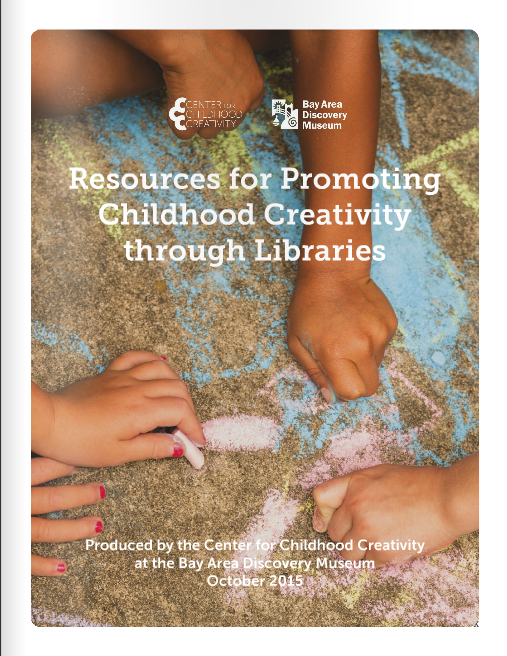
Maker Space is a hot topic right now and is an area that our library staff have been discussing in how to implement in each of our schools. Here is a great resource from the California State Library who has partnered Continue reading Getting Creative in Your Library→

Posted in Uncategorized

Voice Typing in Google Docs

Posted on November 4, 2015 by Christie Boen

I don’t know about you, but generally I think much faster than I can type. Recently, Google came up with a new voice tool in Google. You must be in the Chrome browser to use it. Here’s a quick video on Continue reading Voice Typing in Google Docs→

Posted in Uncategorized

Using Magic Move in Keynote

Posted on October 27, 2015 by John Craft

This blog post was inspired by two teachers working on a road-trip-themed storyline. It started by using the Instant Alpha tool in Keynote to show students in front of landmarks. It got me thinking…and the video here shows how the Continue reading Using Magic Move in Keynote→

Posted in Uncategorized

Google Docs can do THAT??

Posted on October 22, 2015 by Instructional Tech

In the work I do, as with many of you, we use google docs a lot!  That said, the article linked here had several tips that were new to me.  For example, the research tool that you can use from Continue reading Google Docs can do THAT??→

Posted in Uncategorized

Using Your iPad as a Keynote Remote

Posted on October 1, 2015 by John Craft

Have you ever tried to create an instructional Keynote on your iPad? I have and my gorilla-like fingers don’t work as well on an iPad as they do on my laptop. Plus, my laptop has more storage to hold these Keynote Continue reading Using Your iPad as a Keynote Remote→

Posted in Uncategorized

Getting Started with all these iPads in your classroom

Posted on September 30, 2015 by Scott McDonald

I may come back and clean this up….but here is a bit of a “brain dump” of things I have seen working well in our classrooms using ipads.  If something does not make sense shoot one of us an email Continue reading Getting Started with all these iPads in your classroom→

Posted in Uncategorized

Post navigation

← Older posts
Newer posts →

Primary Sidebar Widget Area

Bring Innovation to Your Classroom

Sphero Bolt Request Form

Sphero Indi Request Form

Ozobots Request Form

Bee-Bot Request Form

Breakout EDU Request Form

Search for topics:

Recent Posts

  • Keeping Self Service Tidy: Requesting Apps After the Review June 12, 2026
  • Helping K–5 Students Search with Purpose June 12, 2026
  • ChatGPT for Teachers April 28, 2026
  • Getting Started with typing.com September 10, 2025
  • Introducing Swank 🎥 September 9, 2025
  • Five Technology Tools for iPad Management June 11, 2025
  • Sora – Access and Tips 📚📱 March 12, 2025
  • Quick Access to Safe and Reliable Research March 5, 2025
  • Digital Citizenship Week 2024 October 2, 2024
  • MagicSchool AI September 27, 2024

Receive updates in your email!


Site Management

  • Log in
  • Entries feed
  • Comments feed
  • WordPress.org

Your Instructional Technology Support Team:

  • Robbie Faith: K-12 Schools
  • Tracy Howk: K-12 Schools
  • Laura Clark Canvas Support
  • Bend-La Pine Schools Support Directory
  • Twitter
Copyright © 2026 BLS Educational Technology. All Rights Reserved.
Theme: Catch Box by Catch Themes
Scroll Up