Skip to content

BLS Educational Technology

Ideas, Activities and Resources for Bend-La Pine Schools

Menu

Primary menu

Hiding instead of Minimizing

Posted on May 15, 2015 by Christie Boen

Today while I was trouble shooting with another teacher, I came across a keyboard shortcut that I didn’t know about. It’s ⌘ H. You can use it to hide the app you would normally minimize. For example, if you are Continue reading Hiding instead of Minimizing→

Posted in Uncategorized

Leica Slidepaths App

Posted on May 13, 2015 by Scott McDonald

  The Slidepaths app is made by LEICA. A companty most famous for creating quality microscopes and digital imaging machinery.   If your classroom does not have a microscope available, this app may be the next best thing.  Students can Continue reading Leica Slidepaths App→

Posted in High School

Writing Code Independently

Posted on May 13, 2015 by Scott McDonald

Nearly every time I walk into Ponderosa Elementary I see Bill Ruiter, a truly dedicated volunteer at the school who teaches the kids to program every week.  Bill’s passion for writing code is contagious, and his students are always excited to Continue reading Writing Code Independently→

Posted in Elementary School

Google Takeout

Posted on May 12, 2015 by Christie Boen

I’m guessing all of us, at some time or another, have gone to a restaurant and ordered our food “to go” rather than stay and eat. Google Takeout is, in a sense, getting “Google to Go”. If you’re graduating or Continue reading Google Takeout→

Posted in Elementary School, High School, Middle School

Formative – It’s What You’ve Been Waiting For

Posted on May 5, 2015 by Christie Boen

I am so excited to share Formative with you! This tool will save you time and give instant feedback to your students. You can upload any assignment and in a few simple steps, you can set it up to quickly grade and give Continue reading Formative – It’s What You’ve Been Waiting For→

Posted in Elementary School, High School, Middle School

World Book Online Always Current

Posted on April 27, 2015 by Christie Boen

A few of us may still have the set of encyclopedias on our shelf and that’s great. However, as a district, we have access to World Book Online 24/7, as long as we have wifi. Here’s a quick overview: Advanced Continue reading World Book Online Always Current→

Posted in Uncategorized

Clutter in Outlook

Posted on April 27, 2015 by Christie Boen

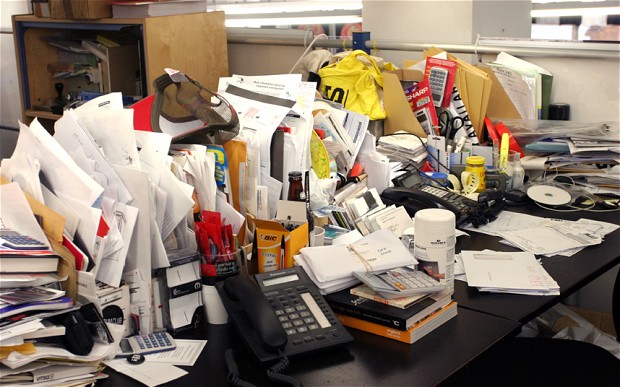
Let’s face it, clutter follows us everywhere. It’s on the kitchen counter, the dining room table, by the front door, by the backdoor, in our bedrooms, on our desk. You get the picture. It’s a constant battle. Well, I’m here to Continue reading Clutter in Outlook→

Posted in Uncategorized

Getting a Pointer on Your iPad

Posted on April 24, 2015 by John Craft

Remember the days before GPS/smartphones and you gave directions to your house (or were given directions to someone else’s house)? Neither of you had paper, so the directions were just verbalized to you. How many wrong turns were taken? I Continue reading Getting a Pointer on Your iPad→

Posted in Uncategorized

Post navigation

← Older posts
Newer posts →

Primary Sidebar Widget Area

Bring Innovation to Your Classroom

Sphero Bolt Request Form

Sphero Indi Request Form

Ozobots Request Form

Bee-Bot Request Form

Breakout EDU Request Form

Search for topics:

Recent Posts

  • Keeping Self Service Tidy: Requesting Apps After the Review June 12, 2026
  • Helping K–5 Students Search with Purpose June 12, 2026
  • ChatGPT for Teachers April 28, 2026
  • Getting Started with typing.com September 10, 2025
  • Introducing Swank 🎥 September 9, 2025
  • Five Technology Tools for iPad Management June 11, 2025
  • Sora – Access and Tips 📚📱 March 12, 2025
  • Quick Access to Safe and Reliable Research March 5, 2025
  • Digital Citizenship Week 2024 October 2, 2024
  • MagicSchool AI September 27, 2024

Receive updates in your email!


Site Management

  • Log in
  • Entries feed
  • Comments feed
  • WordPress.org

Your Instructional Technology Support Team:

  • Robbie Faith: K-12 Schools
  • Tracy Howk: K-12 Schools
  • Laura Clark Canvas Support
  • Bend-La Pine Schools Support Directory
  • Twitter
Copyright © 2026 BLS Educational Technology. All Rights Reserved.
Theme: Catch Box by Catch Themes
Scroll Up