Skip to content

BLS Educational Technology

Ideas, Activities and Resources for Bend-La Pine Schools

Menu

Primary menu

Category Archives: Elementary School

Google Drive Shortcuts

Posted on April 19, 2017 by Christie Boen

I have to admit that I love shortcuts. I mean who doesn’t? The only time I don’t use a shortcut is when I’m trying to get more steps on my Fitbit – especially when I’m competing with my sister-in-law. Well, I Continue reading Google Drive Shortcuts→

Posted in Elementary School, High School, Middle School

CLEVER is so very smart!

Posted on April 11, 2017 by Scott McDonald

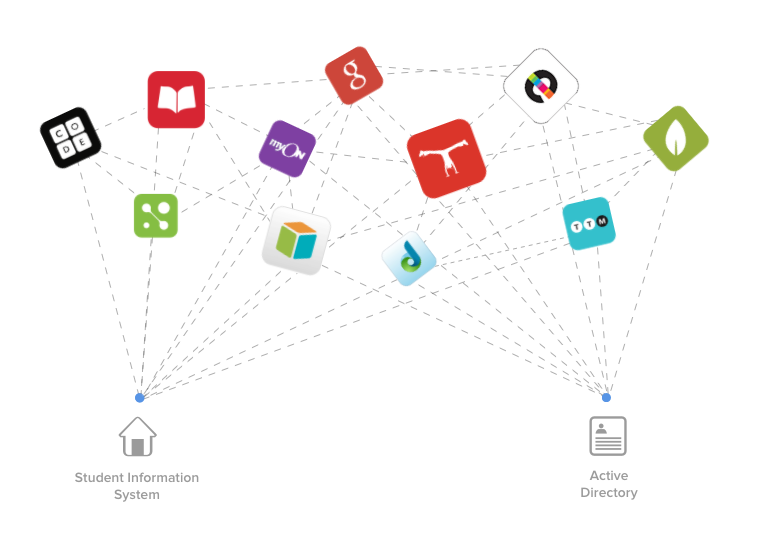
Some of you might have noticed that there is a new icon on the dock when students log on to school computers.  There is an application folder marked CLEVER.   Clever allows students to automatically log into several tools using Continue reading CLEVER is so very smart!→

Posted in Elementary School, Middle School

File Upload in Google Forms

Posted on April 6, 2017 by Christie Boen

Google Forms has a great feature that allows for file uploads. This is a fantastic tool for you teachers that don’t use Google Classroom, Canary, Edmodo, etc. For the most part, you are not worried about collecting assignments or projects Continue reading File Upload in Google Forms→

Posted in Elementary School, High School, Middle School

Use Lightshot to Markup a Screenshot

Posted on April 5, 2017 by Christie Boen

For you Chrome users, here is a great extension tool that will allow you to quickly take a screenshot, mark it up and share it in an email, document, Google form, or even through social media. Here’s how you get Continue reading Use Lightshot to Markup a Screenshot→

Posted in Elementary School, High School

Easy-Peasy QR Code Extensions

Posted on March 24, 2017 by Christie Boen

QR Codes are so handy when working with any mobile device, especially student iPads. Did you know that you can have a QR extension on the browser of your choice (Chrome, Safari, Firefox) that will make it super easy to Continue reading Easy-Peasy QR Code Extensions→

Posted in Elementary School, High School, Middle School

Dear iPad, I love your “Notes” app

Posted on February 14, 2017 by Scott McDonald

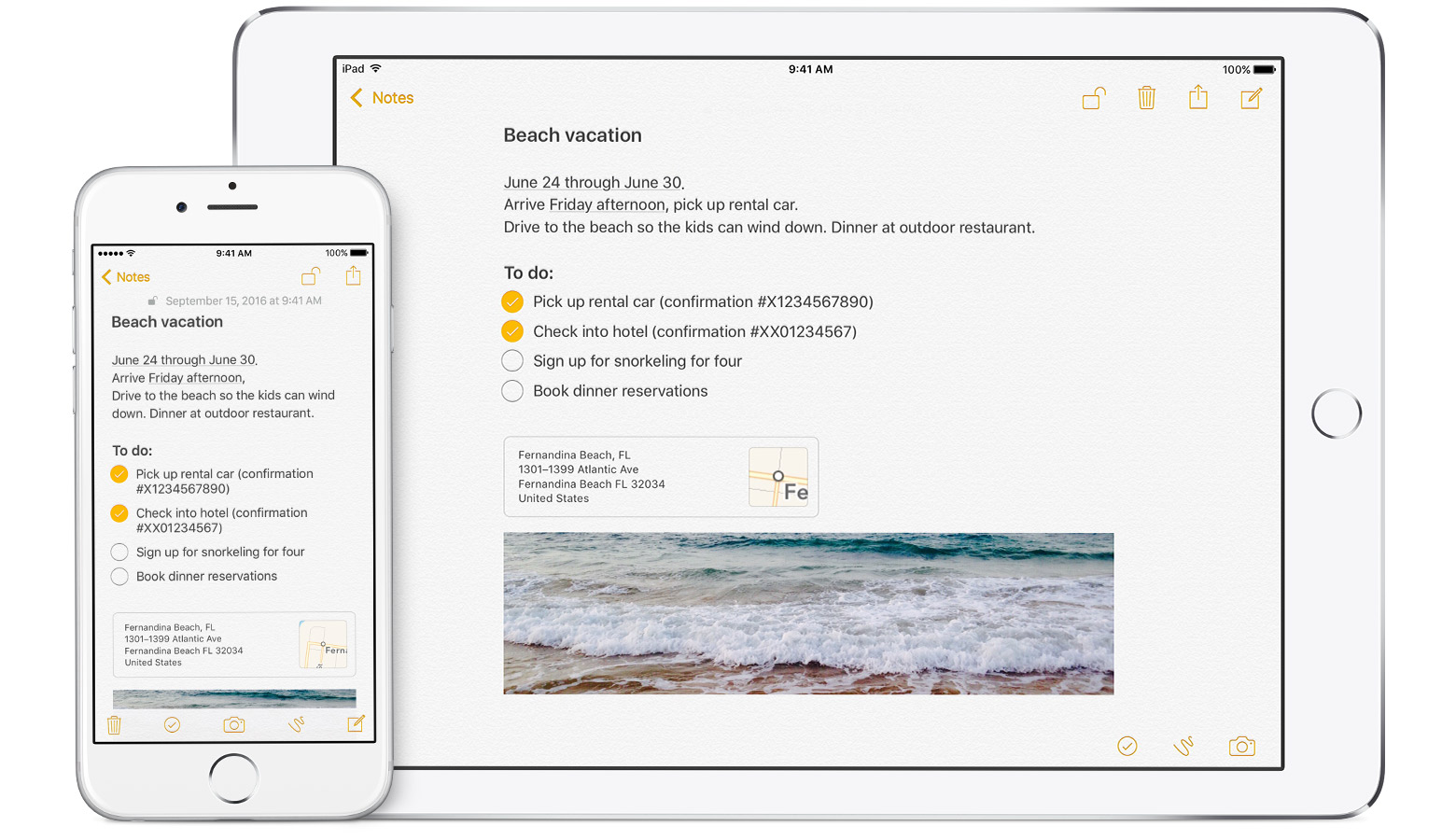
I used to struggle to write my thoughts and stay organized while working on my iPad.  That ended the very first day I saw you sitting on the dock at the bottom of my screen.  Now, you save all of Continue reading Dear iPad, I love your “Notes” app→

Posted in Elementary School, High School

QR Code Make-Over Options

Posted on February 2, 2017 by John Craft

I remember putting up my first QR code in my classroom for students to scan with their iPads. The code simply sent them to a Revolutionary War web page. In previous years, I used URL shorteners, links from the classroom Continue reading QR Code Make-Over Options→

Posted in Elementary School, High School, Middle School

Keyboarding Options

Posted on January 18, 2017 by John Craft

We have a solution for you keyboarding needs, typing.com! While it’s not as powerful as Type To Learn 4, it allows you to track students as they progress through lessons. Students can also earn badges and have access to engaging Continue reading Keyboarding Options→

Posted in Elementary School, Middle School

Post navigation

← Older posts
Newer posts →

Primary Sidebar Widget Area

Bring Innovation to Your Classroom

Sphero Bolt Request Form

Sphero Indi Request Form

Ozobots Request Form

Bee-Bot Request Form

Breakout EDU Request Form

Search for topics:

Recent Posts

  • ChatGPT for Teachers April 28, 2026
  • Getting Started with typing.com September 10, 2025
  • Introducing Swank 🎥 September 9, 2025
  • Five Technology Tools for iPad Management June 11, 2025
  • Sora – Access and Tips 📚📱 March 12, 2025
  • Quick Access to Safe and Reliable Research March 5, 2025
  • Digital Citizenship Week 2024 October 2, 2024
  • MagicSchool AI September 27, 2024
  • Comparing Apple Classroom and Jamf Teacher September 20, 2024
  • Instructional Technology Resources for 25-26 September 11, 2024

Receive updates in your email!


Site Management

  • Log in
  • Entries feed
  • Comments feed
  • WordPress.org

Your Instructional Technology Support Team:

  • Robbie Faith: K-12 Schools
  • Tracy Howk: K-12 Schools
  • Laura Clark Canvas Support
  • Bend-La Pine Schools Support Directory
  • Twitter
Copyright © 2026 BLS Educational Technology. All Rights Reserved.
Theme: Catch Box by Catch Themes
Scroll Up