
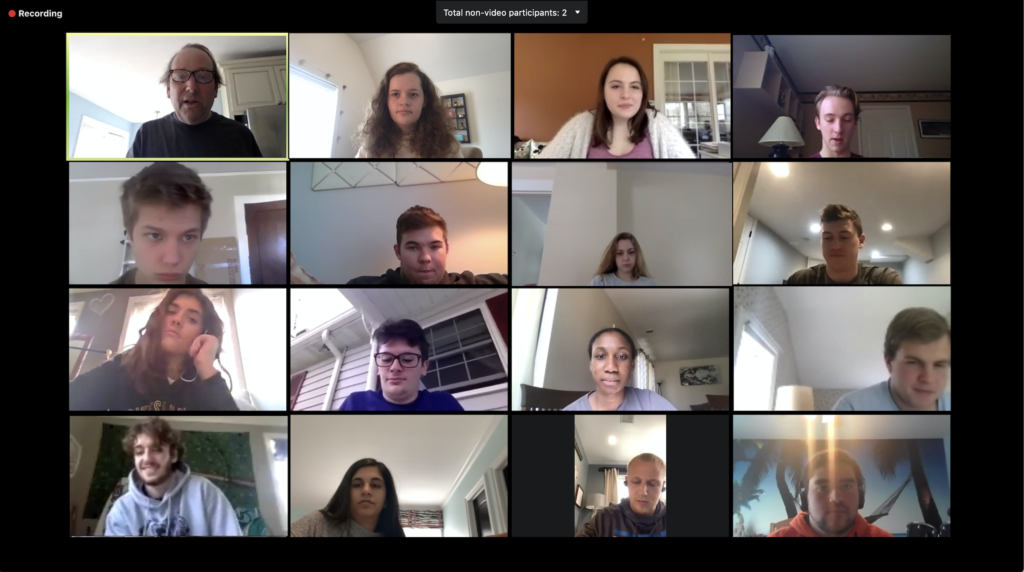
Students Have Been Learning from Home for a Year. How Do We Bring Them Back?

There is no question: students and their families are feeling all of the same things we are about returning to the classrooms. Like us, they have been submerged in the stresses of home environments relentlessly; unlike us, they have not been protected by the same job stability, self-advocacy tools, or ability to go into the school building if that would work best.

Welcoming them back into our classrooms is offering them the chance to re-start their independent lives. But it’s been such a long time for them, there may well be some issues we would do well to consider.

Below, is a list of relevant readings you may find helpful.

1. The website We Are Teachers recognizes that, even when students are back on the classroom, they will likely still be engaging in remote sessions with us as a matter of routine. Therefore, it caters it’s suggestions to keep ourselves well-supported and moving forward despite the shifting locations and platforms: “2020’s New Rhythm: Moving from Virtual to In-Person (and Back Again)”

2. The National Association of School Psychologist put together this two-page article reflecting on student socio-emotional re-entry needs, and articulating what teacher practices will support their transition most effectively. “School Re-entry Consideration: Supporting Student Social and Emotional Learning and Mental and Behavioral Health Amidst Covid-19.” School-Reentry-Considerations-NASP.pdf

3. Edutopia’s brief blog post is action-oriented and to the point: “5 Tips for a More Efficient Transition from Virtual to In-Person Teaching”

4. Lexia Learning authored this blog post coaching teachers and administrators on what to prepare for and what to expect. A quick read with some helpful tips you may want to consider. “Returning to the Classroom after Covid-19 Shutdowns: What to Expect and How to Be Prepared.”

5. And, finally, I want to include an open letter that has lived on my desktop for months. Long-time community counselor, Kathy Ngel Hood, offers this advice for parents but I think we may also find its perspective helpful. There are no instructional tips here, but some excellent and compassionate thinking about the Covid lives of our students. “Observations from a Counselor”

============================================================
Increasing Student Access to Each Other and Our Curriculum: Three Digital Tools that Can Help

Ready or not, you are FINALLY going to meet your students in-person! And you can provide some of the engaging in-person learning that you did before! Or can you?

Social distance requirements will make small groups difficult, but here are three digital tools to easily enable small group work, be it in-person, in WebEx, or in Canvas.

THIS SIX-MINUTE VIDEO IS A BRIEF ‘HOW-TO’ FOR INCREASING DIGITAL STUDENT ACCESS TO YOUR COURSE CONTENT. Individual students, small groups, and whole classes will engage EASILY and VIBRANTLY, using these tools that are just as quick to learn as they are for students to use.

WHAT TO LEARN MORE? Here are some resources that might be useful:

JAMBOARD: 1. A flashy slide deck, meant to educate and ignite: https://docs.google.com/presentation/d/1taKkd0XM98UDJvd5H3Eb2VdB2zN629fc2omYXwtZuQg/preview?slide=id.ga0a586f102_0_501

2. Scroll down a bit for an Jamboard-orienting list of possible uses and activities: https://ditchthattextbook.com/jamboard/

3. If you like templates, here are a variety of games templates for a wide range of learning ages. Each link leads to a whole Jamboard deck of possibilities: https://docs.google.com/document/d/19YSKykpIamtW_Wj8RUgdyqzcRJ0Oic8cPeFnzPRR90s/edit

PADLET: For more information about any of the Padlet posting possibilities (audio, video, images, URL, drawing, articles), brief video tutorials abound on the internet!

1. Here is my favorite: this is an AMAZING collection, especially for us in the non-elementary set. You will find curated ideas for most every subject area group (including PE!) with an example of each board: https://medium.com/padlet-ink/55-padlet-examples-to-use-in-your-classroom-community-a306cc1da499

GOOGLE DOCS:

1. Here is a variety of information and suggestions – some will be familiar to you, but I will be surprised if you don’t find something you don’t know or have not thought of: https://pdst.ie/sites/default/files/36_Interesting_Ways_to_use_Google_Docs_in_the_classroom.pdf

2. For those of you that like tips, here are some options embedded in the standard Google Docs menu that you or your students may find helpful: https://www.weareteachers.com/awesome-and-surprising-ways-you-can-use-google-docs/

CHOOSE YOUR OWN ADVENTURE! Here’s how…

Teaching is hard.  It is hard during usual times and it is really hard during this unusual time.  But you are not alone.  All of us are feeling like this is uncharted territory…because it is.

A way to feel less alone is to see how our peers are wrestling this the same issues.  In the world of CDL, and of Canvas, we have a unique opportunity to observe each other virtually.  Being able to participate in a class, just as a student does, will widen your view and support your instruction.

WHY DO YOU WANT TO MAKE TIME FOR THIS?

  • YOU CAN CHOOSE THE EXPERIENCE YOU WANT!
    1. Watch a department member’s WebEx? Yes!
    2. Watch a virtual session at a different site? Absolutely!
    3. Watch a colleague that is having success in a CDL or Canvas area you struggling with? Great idea!
    4. Watch an instructional method you want to try? (Graded discussions, high-level engagement, Jamboard, workshop or lab activities, ELL inclusion, etc.) Perfect idea!
    5. Read a Canvas unit that interests you? Engage fully with all available aspects (watch the videos, read the discussions, etc.) to see how the teacher is progressing through the content, what strategies are being utilized, how/when can the teacher see the students are engaged and learning?
    6. Is there are a content area or different level your are curious about? This is your chance to observe an elementary, middle, or high school teacher in our district! How are they navigating WebEx or delivering content in Canvas?
  • WE WILL PAY YOU!
    • You can observe the teaching or Canvas work of two teachers.
    • You will be paid for one hour, for each observation.
    • You must observe the duration of the class, or engage with the entire unit.
    • Follow-up conversations are optional.
    • Please submit the following items to [email protected] 

THE ‘DO’ LIST

  • IF YOU ARE THE OBSERVER:
    1. DO arrange your observation ahead of time.
    2. DO participate in the virtual classroom as the observed teacher wishes (silent, participate as student, ask the student questions, camera on/camera off etc.) or DO read and consider the entire unit.
    3.  DO have a purpose or “look-fors” in mind before you attend the course.  You will be asked for it in the reflection.
    4. DO watch the entire lesson.
    5. DO make follow-up contact with the teacher you observed. (optional)
  • IF YOU ARE BEING OBSERVED:  
    1. DO agree to have an observer in your class.
    2. DO communicate what you want the observer to do, and if there is anything in particular you’d like them to pay attention for. If your observer is reading a Canvas unit, DO provide some orientation about the class, your teaching goals, and how you are attending to the specific areas of struggle or success so far.
    3. DO teach your class as if the observer is not there. This is a chance for them to experience being a student, so let them have the full experience.